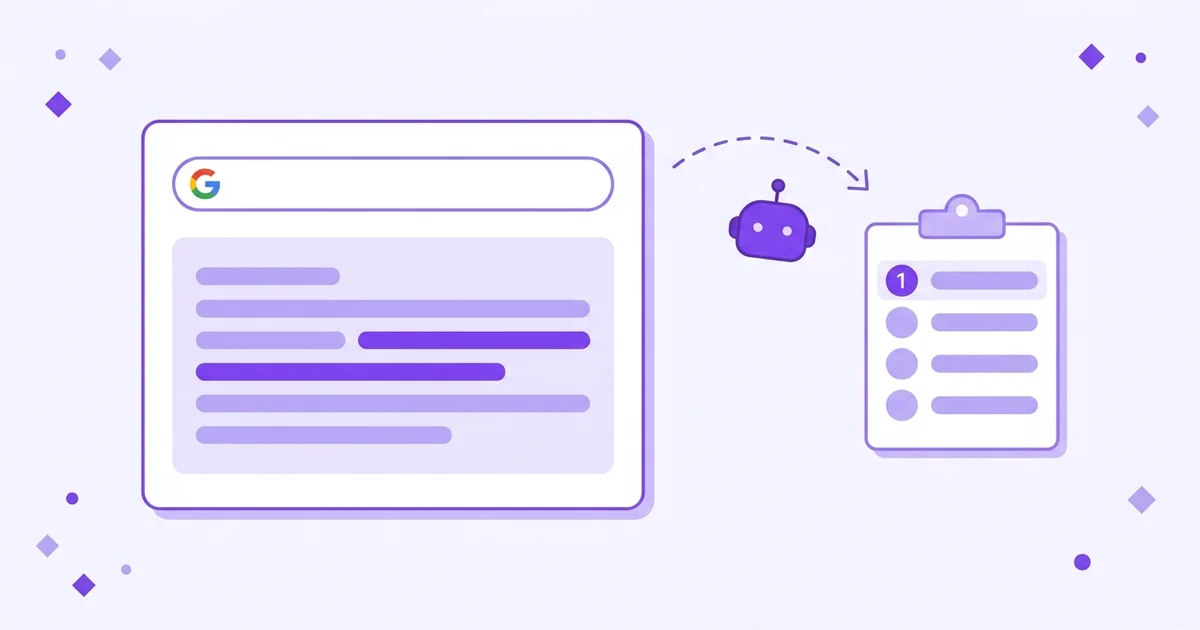
- Gemini shows up in two separate places: the standalone Gemini app and AI Overviews inside Google Search. Check both.
- Run category and problem questions your buyers ask, not your own brand name. That reveals whether Gemini recommends you unprompted.
- One check is a snapshot, not a trend. Gemini answers vary day to day, so test the same prompts on a fixed weekly schedule.
- AI Overviews lean on Google's search index, so strong organic pages often appear there faster than in ChatGPT.
Why is checking Gemini different from checking ChatGPT or Perplexity?
Checking Gemini means checking two surfaces, not one. Google runs Gemini as a standalone chat app and also uses Gemini models to power AI Overviews, the summary box at the top of many Google searches. They draw on different inputs, so your brand can appear in one and be missing from the other entirely.
AI Overviews is the AI-generated answer Google shows above the blue links for many queries. Google began rolling it out broadly in 2024 and has since expanded it across more than 100 countries. Because it sits on top of Google's existing search index, pages that already rank well organically tend to feed it. That makes Gemini's Search surface more tied to classic SEO than ChatGPT, whose base model leans on older training data.
For a founder, that scale means the Gemini answer box is quietly becoming a place where real purchase decisions start. If a buyer asks Gemini "best tool for tracking AI brand mentions" and your brand isn't in the answer, you missed a conversation you didn't know was happening.
Which prompts should you run to test Gemini?
Run category and problem-aware prompts, not your own brand name. A prompt like "what does my product do" only tells you whether Gemini has heard of you. A prompt like "best tools for tracking AI brand mentions" tells you whether Gemini recommends you when a buyer is actually choosing, which is the result that matters commercially.
Use these five prompt types, adapted to your category:
- Category best-of: "What are the best tools for [your category]?"
- Problem-aware: "How do I [the core problem your product solves]?"
- Comparison: "What are good alternatives to [your main competitor]?"
- Engine-specific: "How do I check if Gemini mentions my brand?"
- Brand direct: "What is [your brand]?" — to catch wrong information.
A 2023 Princeton-led study on generative engine optimisation found that how a question is phrased changes which sources an engine surfaces (Aggarwal et al., 2023). One prompt is not enough. Run all five so you see the full picture rather than a single lucky or unlucky answer.
How do you check if your brand appears in Google AI Overviews?
Open a normal Google Search in an incognito window, type each buyer prompt, and look at the AI Overview box at the top. Not every query triggers one. When it does, read the summary for your brand name and check the linked sites listed beside or beneath it. Those links are the sources Gemini drew from to build the answer.
- Use incognito or a logged-out browser. This strips out personalisation from your own past searches, which can otherwise inflate how often you appear.
- Run each of your five prompts. Wait for the AI Overview to fully generate before reading.
- Record whether your brand is named and where in the summary it sits. Earlier mentions carry more weight.
- Note the cited links. If a G2 or Capterra page is cited and your brand is on it, that is how Gemini found you. If your own domain is cited, even better.
- Compare against the Gemini app. Run the same prompts at gemini.google.com, because the app and AI Overviews often answer differently.
Pew Research found 34% of US adults had used ChatGPT by 2025, roughly double two years earlier, and a large share of that same audience reaches Gemini through everyday Google searches without ever opening a separate app.
How do you read a Gemini answer for brand signals?
Read a Gemini answer for three signals: whether your brand name appears, where it sits in the order, and which sources are cited. A name in the first sentence is a strong recommendation. A name buried in a longer list is weaker. A citation to your own site means Gemini trusts your page directly rather than only knowing you through third parties.
| Signal | What it means | What to do next |
|---|---|---|
| Named first | Gemini treats you as a top option for that query | Keep the cited page fresh and dated |
| Named, but lower in the list | You are in consideration but not leading | Strengthen the page Gemini cited for rivals above you |
| Not named, competitor is | A coverage gap on the sources Gemini trusts | Get onto the pages cited for your competitor |
| Named with wrong facts | Gemini learned a stale or incorrect detail | Fix the source page driving the wrong claim |
The pattern of cited sources is your free gap analysis. If the same three review sites appear across your prompts and your brand is on none of them, you have found exactly where to focus. The mechanics here mirror checking other engines — covered in our guide on how to check if ChatGPT mentions your brand.
How often should you check Gemini, and how do you track changes?
Check the same prompts weekly, on a fixed day, and log every result. Gemini answers shift as Google re-crawls the web and updates its index, so a single check tells you almost nothing about direction. The signal is in the trend across weeks, not in any one answer. A brand that appears today can drop next week with no warning.
Set up a spreadsheet with columns for date, prompt, surface (app or AI Overview), mentioned yes or no, position, and which sources were cited. Fifteen minutes a week builds a dataset you can trust within a month. Doing this by hand across all three engines gets heavy fast. Lead Rescue runs daily scans across ChatGPT, Gemini, and Perplexity and shows the trend in plain language, so you see movement without re-running every prompt yourself.
For the full multi-engine method, see our guide on how to track brand visibility in AI search. The Princeton GEO benchmark showed that structured, well-cited pages can boost source visibility in AI answers by up to 40%, so the work you do between checks is what moves the line.