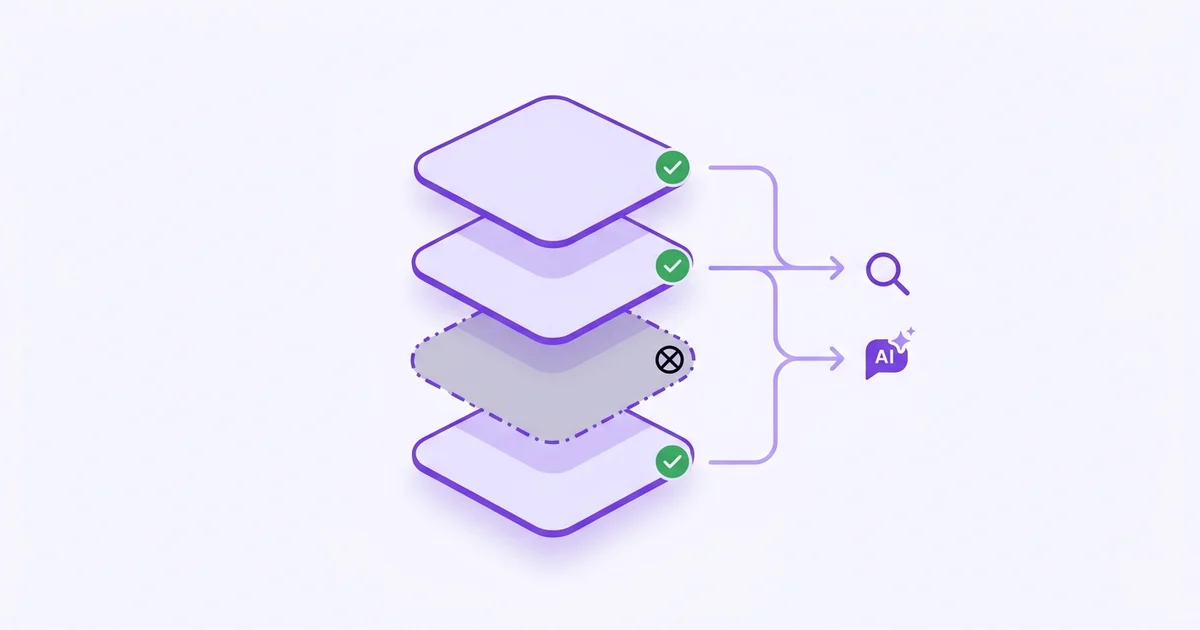
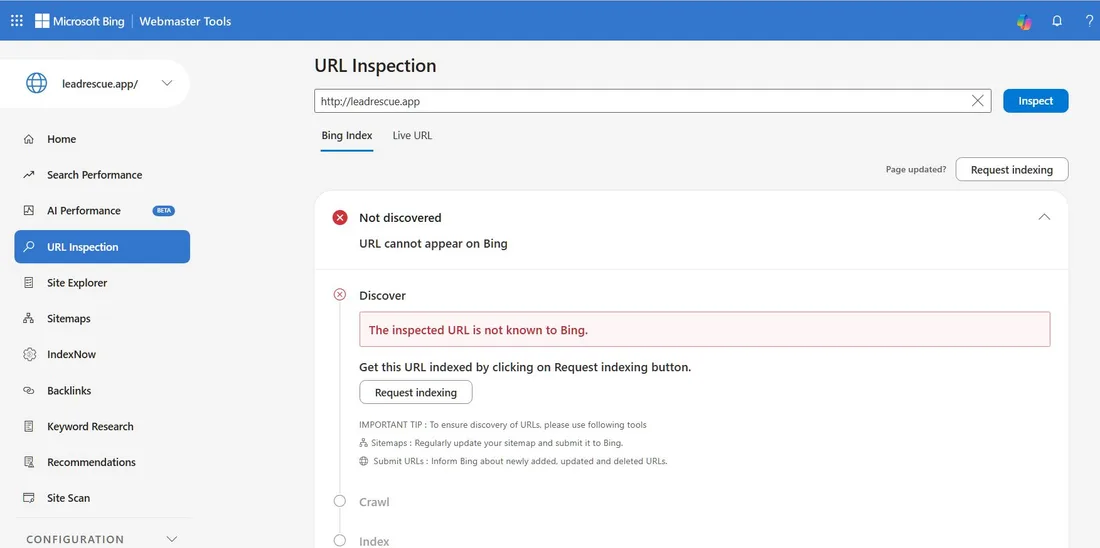
- “Not discovered” in Bing means the page is not in Bing’s index and cannot show up anywhere that uses it.
- Bing’s index also feeds Microsoft Copilot, DuckDuckGo, and Yahoo, so the cost is bigger than lost Bing clicks.
- The fastest fixes: submit the URL manually, add and resubmit your sitemap, and turn on IndexNow.
- New domains are not known to Bing until you tell it, so submission is step one, not a last resort.
What happens if Bing doesn’t index your page?
If Bing has not indexed a page, that page is invisible on every surface Bing powers, not just Bing.com. Indexing is the process where a search engine discovers a page, reads it, and stores it so it can show it in results. No index entry means no results entry, anywhere downstream.
That downstream reach is the part most founders miss. Bing’s index also feeds Microsoft Copilot, DuckDuckGo, and Yahoo search. Microsoft Copilot, the AI assistant built into Windows and Edge, draws its web answers from Bing. So a page Bing cannot see is a page Copilot cannot cite — and Copilot has over 145 million monthly active users as of early 2025 (Microsoft, 2025), making it an audience worth not ignoring.
Why your URLs aren’t showing in Bing
The most common reason is the simplest: Bing has never discovered the page. When you inspect a URL and Bing returns “Not discovered,” it is telling you the page was never crawled, not that it failed a quality check. For a new domain with no backlinks and no submitted sitemap, this is the default state, not a bug.
Beyond plain non-discovery, these are the usual culprits:
- No sitemap submitted. Bing leans on your sitemap to find pages. Without one, discovery is slow or never happens.
- A blocking rule. A
Disallowline in robots.txt or anoindextag tells Bing to stay away. Check both first. - Brand-new domain. With no inbound links, Bing has no trail to follow to your site at all.
- Crawl errors. Server errors or redirect loops can stop Bingbot before it reads the page.
How to submit your URLs to Bing manually
The direct fix for a non-discovered page is to submit it yourself in Bing Webmaster Tools, the free dashboard Microsoft provides for site owners. Submission tells Bing the URL exists and puts it in the crawl queue, usually within hours rather than waiting for organic discovery that may never come for a small site.
- Open URL Inspection. In Bing Webmaster Tools, paste the full URL and click Inspect to confirm the current status.
- Click Request indexing. If the page shows “Not discovered,” the Request indexing button submits it straight to the crawl queue.
- Submit your sitemap. Under the Sitemaps section, add your
sitemap.xmlURL so Bing can find every page at once, not one at a time. - Use bulk URL submission for the rest. Bing Webmaster Tools lets verified sites submit large batches of URLs per day, so you can push your whole site in one pass.
Note: Submitting a URL asks Bing to crawl it. It does not guarantee indexing. If the page is thin, blocked, or duplicate, Bing can still decline to store it.
Your Bing indexing checklist
Before you assume Bing is the problem, run a short checklist on your own site. Most indexing failures trace back to a setting on your end, not Bing. The goal is to confirm every signal that helps Bing discover and trust your pages is switched on and pointing the right way.
- Sitemap: exists, lists your live URLs, and is submitted in Bing Webmaster Tools.
- Robots.txt: does not
Disallowthe pages you want indexed, and references your sitemap. - No stray noindex: check that important pages do not carry a
noindexmeta tag or header. - IndexNow: turned on so new and updated URLs ping Bing instantly. IndexNow is an open protocol, backed by Microsoft and Yandex, that lets your site notify search engines the moment content changes (IndexNow.org).
- Verified site: your domain is verified in Bing Webmaster Tools so submissions are accepted.
Why Bing indexing matters for AI visibility
Bing indexing is no longer just an SEO chore, because Bing is now plumbing for AI search. Microsoft Copilot runs on Bing’s index, and Bing Webmaster Tools has even added an AI Performance section to report how your pages show up in AI answers. If you care whether AI tools mention your brand, you have to care whether Bing can see your pages.
This is where indexing connects to the bigger picture. Getting found in AI answers depends on being in the indexes those engines read, which is the same battle described in GEO vs SEO. Once your pages are indexed, the next question is whether the engines actually name you, which is what AI brand visibility measures. Checking that by hand across engines is tedious, so tracking it over time is the natural next step after you have confirmed indexing.