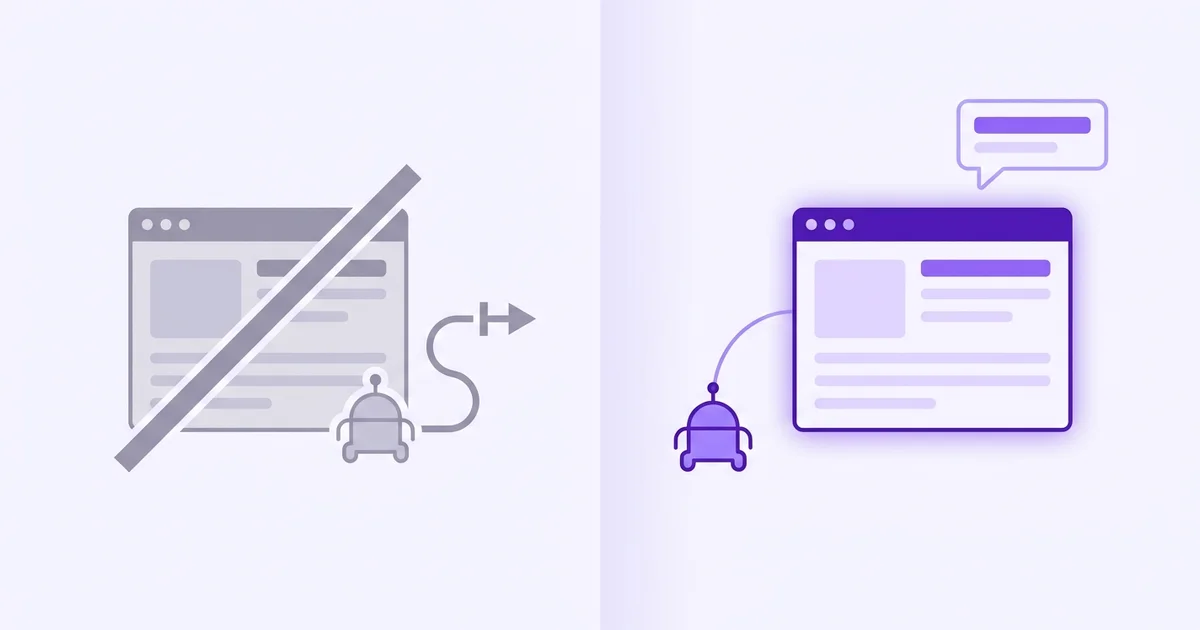
- Blocking an AI crawler removes your site from that engine's answers. The engine reads competitors instead.
- Most sites block AI crawlers by accident through a wildcard Disallow rule, not deliberately.
- Each AI engine has its own named crawler. Blocking one does not block the others.
- Unless you have a legal or licensing reason to block AI crawlers, allowing them costs you nothing and earns you citation opportunities.
What actually happens when you block AI crawlers?
When an AI crawler is blocked in your robots.txt, it stops reading your pages entirely. The engine it powers then answers questions about your category using pages it can access: your competitors' sites, review platforms, and any other source that allows crawling.
Your brand does not get a lower ranking. It simply does not appear in those answers at all, silently and immediately.
An AI crawler is a bot that retrieves web pages on behalf of an AI engine to use as source material when generating answers. It works like Googlebot, which crawls pages for Google Search, except the output is AI-generated text rather than a list of ranked links.
Each major AI engine operates its own named crawler, and each crawler checks your robots.txt for permission before reading anything.
A 2023 Princeton study found that source visibility in AI-generated answers depends heavily on whether the engine can retrieve and parse a page at all (Aggarwal et al., Princeton, 2023). A blocked page cannot be cited regardless of its quality or structure.
Crawl access is the prerequisite for everything else.
Which AI crawlers exist and what are their names?
Each major AI platform operates its own named crawler, and most sites have never explicitly accounted for any of them in their robots.txt. The crawlers that matter most for brand visibility in AI search are PerplexityBot, OAI-SearchBot, and Googlebot, but several others are increasingly relevant as the AI engine landscape grows.
| Crawler name | AI engine it serves | Primary use |
|---|---|---|
| PerplexityBot | Perplexity | Live web retrieval for every query |
| OAI-SearchBot | ChatGPT (browsing mode) | Live web search in ChatGPT |
| GPTBot | OpenAI (training data) | Training data collection, not live answers |
| Googlebot | Gemini and Google AI Overviews | Indexes pages for Google's entire ecosystem |
| ClaudeBot | Anthropic Claude | Training and retrieval for Claude |
| Applebot | Apple Intelligence | Retrieval for Siri and Apple AI features |
The most important distinction: GPTBot collects training data and blocking it affects what OpenAI's models learn about your brand in future training runs. OAI-SearchBot handles live web search in ChatGPT answers.
Blocking GPTBot does not block OAI-SearchBot, and vice versa. They are separate bots with separate User-agent strings in robots.txt.
Does blocking one crawler affect all AI engines?
No. Each crawler operates independently, and blocking one has no effect on the others.
If your robots.txt blocks PerplexityBot but allows OAI-SearchBot and Googlebot, Perplexity cannot cite your pages but ChatGPT and Gemini can.
Conversely, a site that blocked all crawlers via a wildcard rule years ago is invisible to every AI engine simultaneously, whether the owner realises it or not.
The wildcard disallow problem is more common than it sounds. Many sites were set up with a robots.txt containing "User-agent: * / Disallow: /" or similar broad rules to block all bots except Googlebot.
Those rules were written before AI crawlers existed, and they now block every AI engine by default. Pew Research found 34% of US adults had used ChatGPT by 2025, meaning a large share of your potential buyers may be running AI-assisted product research right now and finding your competitors instead of you, because of a robots.txt file no one has touched in years.
Checking your own robots.txt file takes two minutes. It is worth doing before anything else in your AI visibility strategy.
Why do some sites block AI crawlers intentionally?
Some sites have legitimate reasons to block AI crawlers, and the decision is not always wrong. The three most common valid reasons are protecting proprietary content that has commercial value as a subscription product, complying with legal restrictions on how licensed content can be used, and preventing training data collection by AI companies without compensation.
- Subscription or paywalled content. If your core product is content people pay to access, allowing AI engines to read and summarise it for free undermines your business model. News publishers, research databases, and course platforms often block AI crawlers for this reason.
- Licensed or third-party content. If you publish content under a licence that restricts AI use, your legal obligations may require blocking AI training crawlers. This typically applies to GPTBot and ClaudeBot rather than live-retrieval crawlers like OAI-SearchBot.
- Training data concerns. Some site owners object to their content being used to train AI models without consent or compensation. Blocking GPTBot addresses training data specifically, without necessarily blocking live-retrieval crawlers.
The key distinction for SaaS founders: most of these concerns apply to content businesses, not to product marketing pages. A SaaS landing page, a features page, and a blog post about your category have no commercial reason to be hidden from AI crawlers.
Blocking them just removes your brand from AI recommendations.
How do you check which AI crawlers your robots.txt is currently blocking?
The fastest way is to paste your URL into an AI Crawler Checker, which reads your robots.txt and shows exactly which of GPTBot, ClaudeBot, PerplexityBot, Google-Extended, and other AI crawlers are allowed or blocked.
To check manually instead, go to yourdomain.com/robots.txt in a browser. Read through the file for any "Disallow: /" rules under "User-agent: *" or under specific crawler names.
A wildcard disallow (User-agent: *) blocks every bot that is not explicitly given an allow rule elsewhere in the file. Check each named AI crawler to see whether it has an explicit allow rule or falls under the wildcard block.
- If you see "User-agent: * / Disallow: /" with no explicit allow rules for PerplexityBot and OAI-SearchBot, you are blocking those crawlers. Add "User-agent: PerplexityBot / Allow: /" and "User-agent: OAI-SearchBot / Allow: /" above the wildcard rule.
- If you see no robots.txt at all (you get a 404), all crawlers are allowed by default. No action needed.
- If you see specific User-agent rules for each bot, check each AI crawler name individually. A block on GPTBot does not imply a block on OAI-SearchBot.
You can also use Google Search Console's robots.txt tester, which lets you test any User-agent string against your current file. Type "PerplexityBot" in the tester and it will tell you whether that crawler is allowed or blocked for any URL on your site.
What is the right robots.txt setup for AI visibility?
For a typical SaaS marketing site with no paywalled content, the right setup is to allow all major AI crawlers for your public-facing pages, including landing pages, blog posts, and resource articles. The clearest signal that you have got this right is that your robots.txt either has no disallow rules at all, or has specific allow rules for PerplexityBot, OAI-SearchBot, and Googlebot sitting above any wildcard block.
If you want to block AI training data collection but still allow live-retrieval crawlers, add a specific block for GPTBot and ClaudeBot while leaving OAI-SearchBot and PerplexityBot allowed. This is the setup that prevents your content from being used in future AI training runs while still allowing the engines to cite it in live answers.
After updating your robots.txt, re-run your buyer-intent prompts on Perplexity and ChatGPT after two to three weeks. Perplexity refreshes fastest.
If you were previously blocked, you should start seeing your pages appear in cited sources within that window. For a guide to tracking whether the change is actually moving your brand visibility, see our guide on how to track brand visibility in AI search.