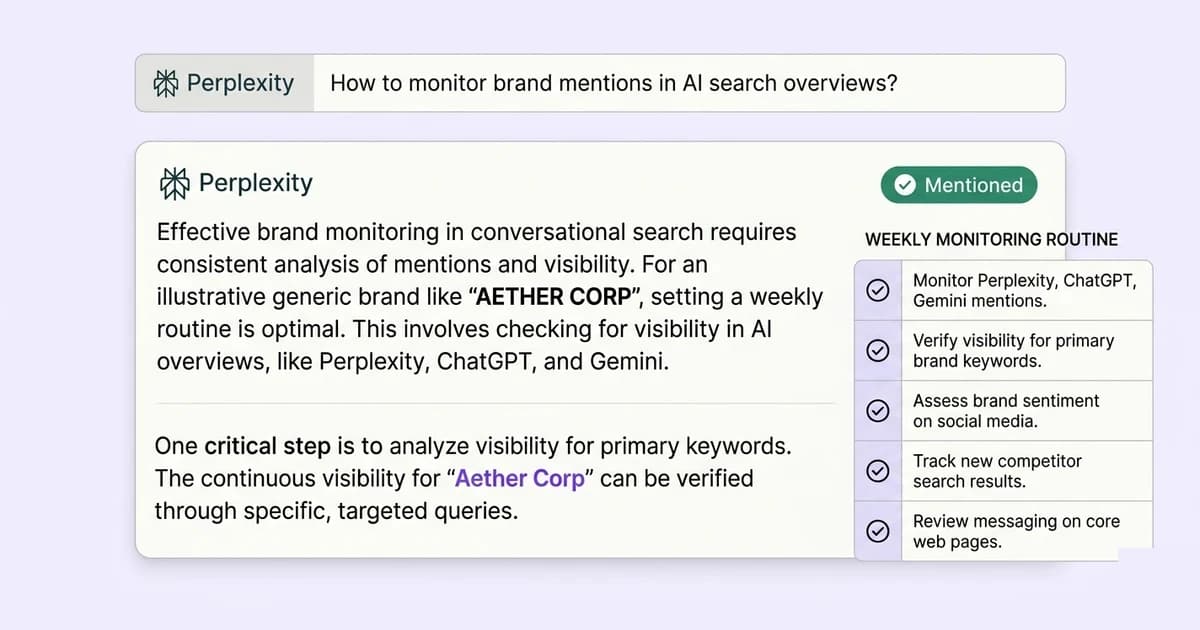
- Perplexity shows both brand name mentions in the answer text and numbered citation links you can click. Check for both.
- Run category-level prompts, not brand-specific ones. Category prompts reveal how Perplexity positions you against competitors.
- Log results in a simple spreadsheet with date, prompt, and whether you were mentioned. Trends matter more than single answers.
- If Perplexity cites your website, that traffic appears as "perplexity.ai" in your Google Analytics referral report.
- Perplexity's answers can vary day to day. Run the same prompts on the same day each week for consistent comparison.
Why checking Perplexity is different from checking ChatGPT or Gemini
Perplexity works fundamentally differently from ChatGPT and Gemini when it comes to brand mentions. ChatGPT's base model draws from training data with a knowledge cutoff, so what it says about your brand reflects what the web said about you months or years ago.
Gemini blends training data with Google's index, with AI Overviews drawing from recently indexed pages.
Perplexity searches the live web at query time using Bing's index, as documented in Perplexity's developer materials. This makes Perplexity the most responsive engine for tracking the current state of your brand's web presence.
A page you updated last week can appear in Perplexity answers today. A brand mention in Perplexity is a real-time signal about how the web describes you right now, not how it described you at some past training cutoff.
Perplexity also shows its sources explicitly with numbered citation links, which ChatGPT's standard interface does not. This transparency is valuable: you can see not just whether you were mentioned, but which specific page Perplexity used.
Perplexity citations also send trackable referral traffic that shows up directly in Google Analytics.
Which prompts reveal whether Perplexity knows your brand?
The most informative prompts are category-level and use-case prompts, not prompts that mention your brand by name. A prompt like "what is Lead Rescue?" only tells you whether Perplexity has enough information about you to answer.
A prompt like "best tools for tracking AI brand mentions" tells you whether Perplexity recommends you unprompted, which is the commercially important signal. Use these five prompt types, adapted to your category:
- Category best-of: "What are the best tools for [your category]?"
- Problem-aware: "How do I [solve the core problem your product solves]?"
- Comparison: "What are the alternatives to [your main competitor]?"
- Engine-specific: "How do I check if [ChatGPT / Gemini / Perplexity] mentions my brand?"
- Brand direct: "What is [your brand name]?" and "What does [your brand] do?"
Run all five prompts. The first four reveal whether Perplexity includes you in category answers.
The fifth reveals what Perplexity knows about you specifically, which is useful for catching wrong information. Our guide on fixing wrong AI information covers what to do if Perplexity's answer about you is inaccurate.
How to read a Perplexity answer for brand mention signals
When you run a prompt in Perplexity, the answer appears with numbered citations in brackets beside relevant claims. Look for three things:
- Your brand name in the answer text. Scan the full answer for your brand name. It may appear in the main answer, in a comparison table, or in a list of tools. Note where in the list you appear, since first position typically indicates the strongest recommendation.
- Your website in the citation list. The numbered sources Perplexity lists are the pages it retrieved to build the answer. If your website appears as citation (3), that means Perplexity pulled content from your site, and that is the signal that generates referral traffic.
- Which third-party sources are cited about you. If Perplexity mentions your brand but the citation is to a G2 review or a TechCrunch article rather than your own site, Perplexity knows about you through third-party coverage, not from your own content. That tells you where to focus improvement effort: your own pages need stronger answer-first structure.
How to set up a simple weekly Perplexity monitoring routine
- Choose your five core prompts. Pick the five prompts most likely to surface your brand. Write them out exactly and save them somewhere you will reuse them verbatim each week. Changing the wording changes the results.
- Run all five prompts on the same day each week. Choose a fixed day. Run each prompt in a private or incognito Perplexity session to avoid personalisation from previous searches affecting results.
- Log results in a spreadsheet. Create a spreadsheet with columns: Date, Prompt, Mentioned (yes/no), Position (1st/2nd/etc.), Cited as source (yes/no), Competitors mentioned, Notes. This takes about 15 to 20 minutes per week.
- Compare week over week. After four weeks you will have a baseline. After eight weeks you will see trends. Rising mention rates after content you published suggest your content strategy is working.
- Check your Google Analytics referral report. On the same day, check for traffic from "perplexity.ai" in the referral sources report. If Perplexity citations increased but referral traffic did not, users may be finding enough in the Perplexity answer itself without clicking through.
What to do if Perplexity mentions you with wrong information
If Perplexity's answer contains wrong facts about your brand, locate the numbered citation source that led to the wrong claim. Click the citation link to find the source page.
The fix is on that source page, not inside Perplexity. If the wrong source is your own website, update the page with the correct information.
Perplexity can pick up the change within days. If the wrong source is a third-party page, update your own pages so Perplexity has better sources to prefer, or publish a correction that directly addresses the wrong claim and earns a higher-ranked position.
Quick win: save 10 buyer questions and run them in Perplexity every Monday. Because Perplexity reads the live web, your changes show up within days, far faster than waiting on Google.
Perplexity said it was serving 100 million search queries a week by October 2024 (TechCrunch, 2024), and Adobe Analytics found traffic to US retail sites from generative AI sources up 1,200% between July 2024 and February 2025.
Brands missing from AI-generated shortlists lose a chance to be considered, so tracking accuracy is a business task, not a nice-to-have.
How to measure whether your Perplexity visibility is improving
Your weekly spreadsheet gives you four measurable signals over time:
| Signal | What it measures | Goal |
|---|---|---|
| Mention rate | % of prompts where your brand appeared | Rising over time |
| Average position | Where you appear in Perplexity's answer list | Moving toward position 1 |
| Citation rate | % of prompts where your site is listed as a source | Rising over time |
| Competitor displacement | Prompts where you appear AND a competitor disappears | Growing list |
Track these four signals monthly. Weekly data is too noisy for trend analysis.
Monthly aggregates give cleaner trend lines. After three months of consistent content publishing, you should see measurable change in at least one signal.
Our guide on how to track brand visibility in AI search shows how to combine this with ChatGPT and Gemini tracking into a single measurement system.