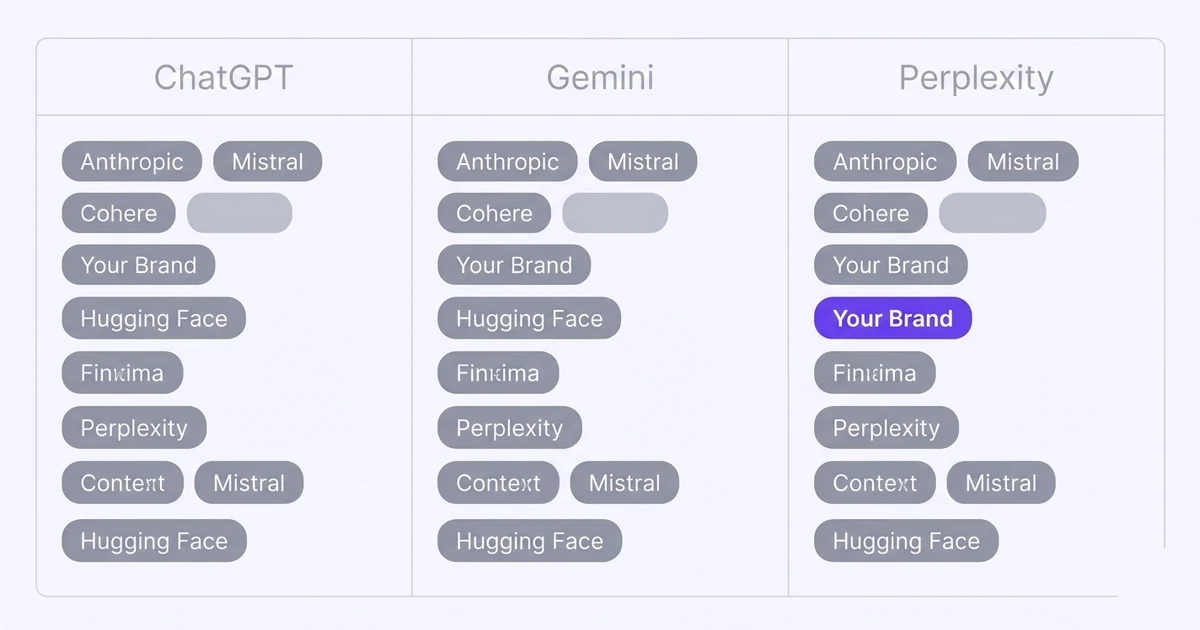
- Run "best [category] tools" and "alternatives to [competitor]" prompts across all three engines to surface who gets recommended.
- Log competitor mentions by engine, prompt, and date. Patterns across engines are more meaningful than single answers.
- A competitor appearing consistently in Perplexity but not ChatGPT suggests they have strong web coverage, not just training data presence.
- Share of voice is the metric that turns raw competitor mentions into a comparable number.
- Gaps where no competitor dominates are your fastest entry points.
Why should I track which competitors AI engines recommend?
When an AI engine answers "what is the best tool for [your category]?" and names your competitor but not you, that is effectively a lost referral. The buyer got a recommendation, it was not yours, and you have no visibility into how often this happens.
Share of voice in AI search is the metric that captures this: your brand mentions as a percentage of all brand mentions across you and your tracked competitors combined.
Quick win: pick your three closest competitors and run the same 15 buyer-intent prompts every week. The pattern of who gets named, and on which engine, is your roadmap for where to focus first.
Buyers are already researching with AI. Pew Research found 34% of US adults had used ChatGPT by 2025, roughly double the share two years earlier, and Adobe Analytics found traffic to US retail sites from generative AI sources up 1,200% between July 2024 and February 2025.
If an AI engine names three competitors and not you, that buyer may never reach your site at all.
Tracking competitor AI recommendations does not just reveal the problem. It shows you which competitors are winning and on which engines, letting you prioritise your improvement efforts.
See our guide on what share of voice in AI search means for how to turn these raw counts into a single comparable metric.
Which prompts reveal who AI engines recommend in my category?
The prompts that reveal competitor recommendations most reliably are category research prompts, not brand-specific prompts. A buyer who already knows your brand might ask about you directly.
A buyer in research mode asks about the category. Use these prompt types:
| Prompt type | Example | Why it works |
|---|---|---|
| Category best-of | "What are the best tools for tracking AI brand mentions?" | Surfaces whoever the engine defaults to recommending |
| Alternatives prompt | "What are alternatives to [known competitor]?" | Reveals whether you appear when a buyer is already considering competitors |
| Use-case prompt | "How do I find out if ChatGPT mentions my SaaS?" | Captures problem-aware buyers, often cites specific tools |
| Comparison prompt | "How does [your brand] compare to [competitor]?" | Tests whether the engine knows your brand at all |
| Recommendation prompt | "Which tool should I use to monitor AI search visibility?" | Direct purchase-intent query |
Run each prompt across ChatGPT, Gemini, and Perplexity using the same exact wording. Different phrasings produce different outputs and make cross-engine comparison harder.
How do I log competitor mentions across ChatGPT, Gemini, and Perplexity?
A consistent logging format matters more than the tool you use. A spreadsheet with the right structure is sufficient to start.
Each row should capture:
- Date. AI engine answers change over time. A date column lets you track drift.
- Engine. ChatGPT, Gemini, or Perplexity. Each has distinct citation patterns.
- Prompt. The exact wording used. Copy-paste it verbatim.
- Your brand mentioned? Yes or No.
- Competitors mentioned. List every brand named, in the order they appeared.
- Your position. If mentioned, what order (1st, 2nd, 3rd)?
- Competitor positions. Same for each competitor named.
Run this weekly at minimum. Monthly is enough to catch major shifts.
Daily is only practical with an automated tool. The goal is to identify patterns: which prompts consistently name a specific competitor, on which engine, and whether a competitor is gaining ground in Perplexity but not ChatGPT.
What does a competitor AI visibility report look like?
Once you have two to four weeks of logged data, produce a simple competitor visibility table. Here is the format that makes patterns readable:
| Competitor | ChatGPT mentions | Gemini mentions | Perplexity mentions | Total |
|---|---|---|---|---|
| Competitor A | 8/10 prompts | 7/10 prompts | 9/10 prompts | 24 |
| Competitor B | 4/10 prompts | 6/10 prompts | 2/10 prompts | 12 |
| Competitor C | 2/10 prompts | 1/10 prompts | 5/10 prompts | 8 |
| Your brand | Track alongside each competitor | ? | ||
A table like this immediately shows the competitive landscape by engine. In the example, Competitor A dominates everywhere.
Competitor C is strong in Perplexity specifically. This guides your next content decision: if Competitor C is strong only in Perplexity, they have recent web coverage but weak training data presence.
That is a gap you can close faster than closing Competitor A's broad dominance.
Is there a tool that shows which competitors AI engines recommend?
Yes. You can see which competitors AI engines recommend instead of you in two ways: manually with a spreadsheet, or automatically with a monitoring tool that scans the engines for you.
The manual method means running your buyer prompts across ChatGPT, Gemini, and Perplexity yourself and logging every brand named. It is free, and the full step-by-step is above.
The automated method uses a paid tool that re-runs those prompts on a schedule and flags competitor mentions for you. Lead Rescue is built for exactly this. It scans ChatGPT, Gemini, and Perplexity daily and shows, per prompt, whether your brand was named, your sentiment, and which competitor brands appeared instead.
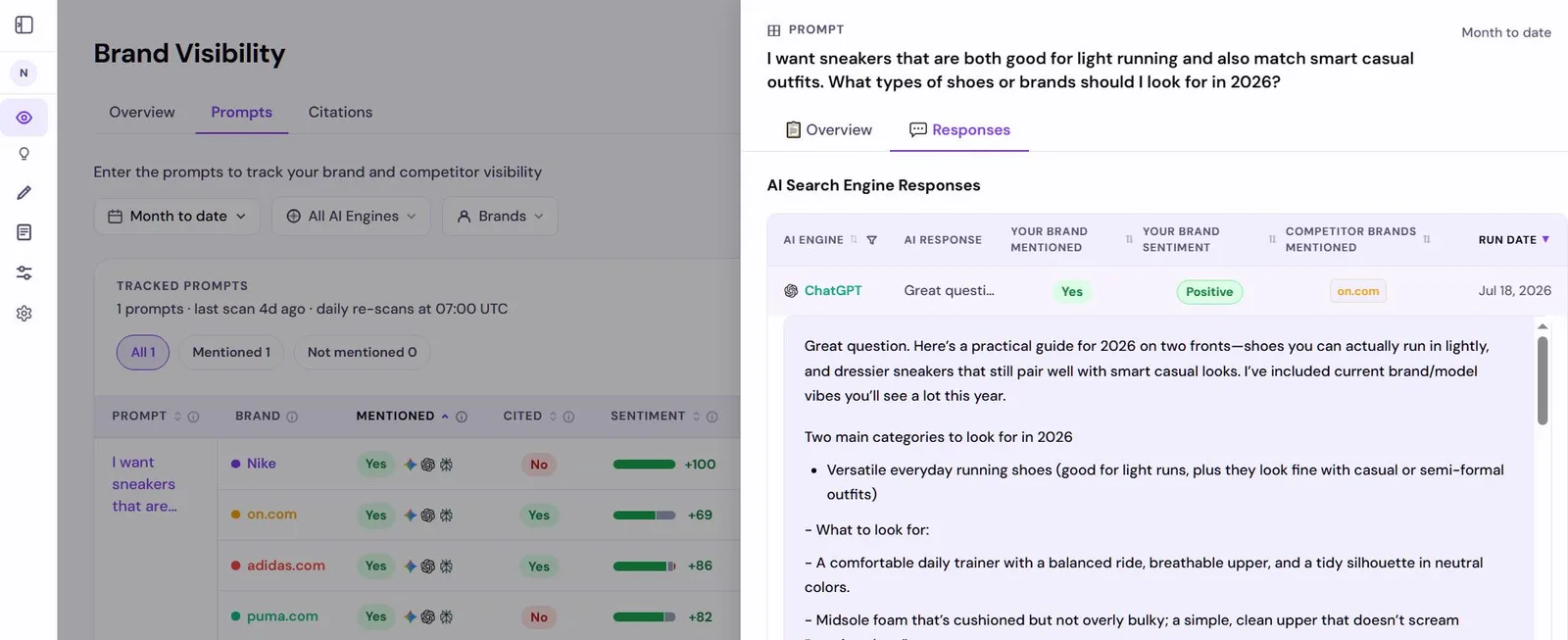
Manual tracking is fine for an occasional check. A tool like Lead Rescue earns its cost once you track more than a handful of prompts, or want a daily signal without keeping a spreadsheet up to date.
How often should I run competitor tracking prompts?
Weekly is the practical minimum for actionable data. AI engines update their answers as they recrawl sources and update models.
A competitor could gain or lose visibility in ChatGPT within a week if new content about them gets indexed or a high-authority source changes its recommendation.
Perplexity changes fastest because it searches the live web. A competitor who publishes a strong article this week could appear in Perplexity answers by next week.
Monthly snapshots of ChatGPT and Gemini, plus weekly Perplexity checks, is a practical cadence for most founders running this manually. The more prompts you track, the more reliable the signal.
Ten prompts across three engines gives you thirty data points per run. That is enough to see a pattern.
Fewer than five prompts and you risk reading noise as signal.
What do I do when AI engines consistently recommend a competitor over me?
Find out why they are being recommended instead. The most common reasons are: they have more content that directly answers the prompts you care about, they have more mentions across trusted third-party sources, or their pages are better structured for AI extraction.
Start with the engine that recommends them most. If Perplexity consistently names them, look at which sources Perplexity cites alongside their name.
Those sources are the ones you need to appear in or match with equivalent coverage. Our guide on why AI engines recommend your competitor covers the exact fix for each root cause.
Do not try to compete on every prompt at once. Pick two or three prompts where the competitive gap is smallest and publish content that directly answers those specific prompts first.
Lead Rescue tracks which competitors ChatGPT, Gemini, and Perplexity name instead of you, scores every mention, and shows the gap each day in plain language. See who AI recommends instead of you →